Hello, and welcome to Arduino basics!
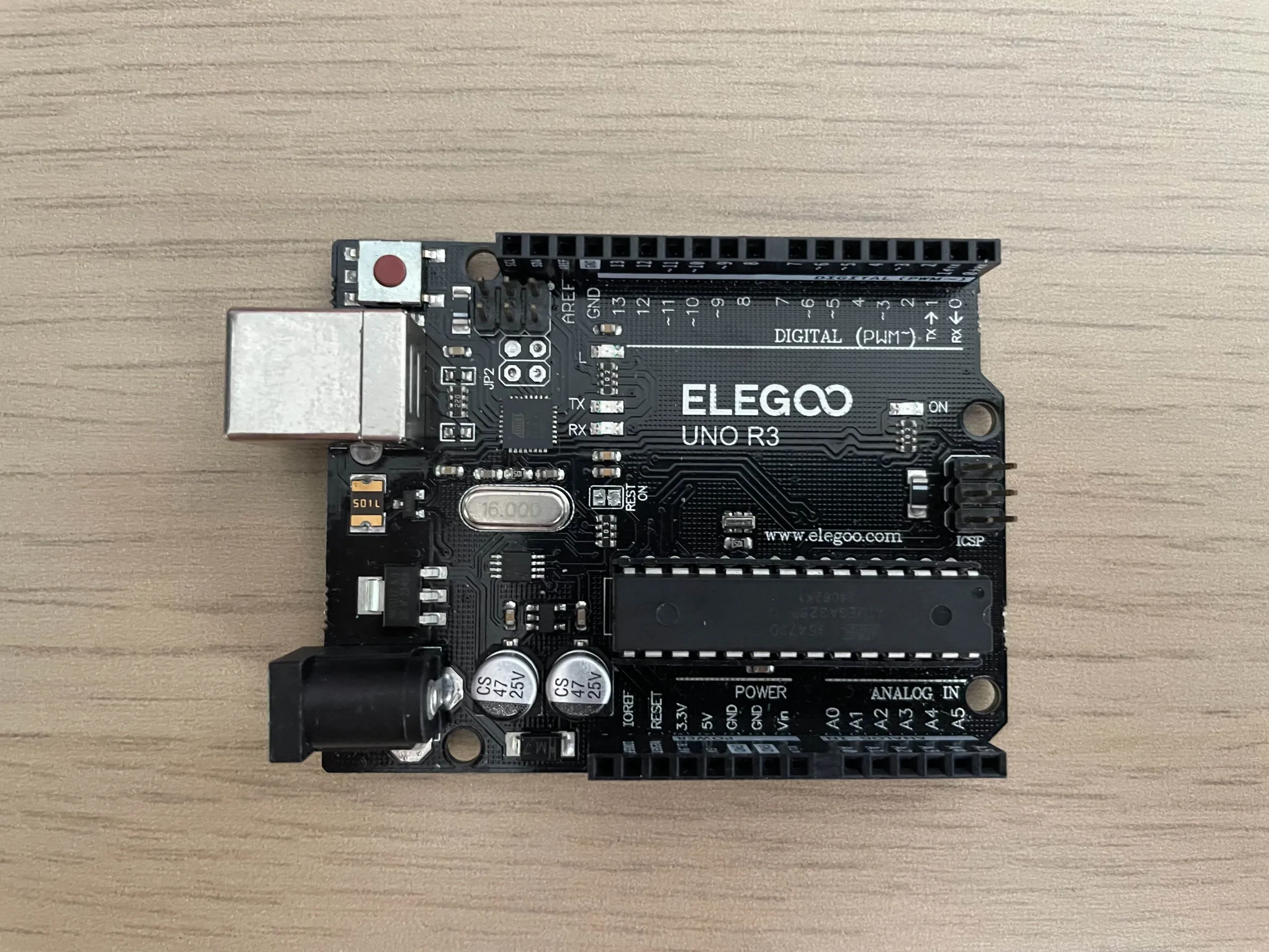
You will need an arduino for this project!
What's arduino?
Arduino is a programmable chip, its almost like basic electricity, but you can install code and use more advanced functions, like outputting a desired voltage, or generating oscillating current for a buzzer.
Pretend you wanted to make a pinball machine, you aren't going to make your own logic, and computer system to output text on the LCD screen, but instead, you can get a dirt cheap arduino and program the pinball machine straight away!
Less circuit building! It's like an integrated circuit, instead of manually making the computer.
You could spend more time on the functions and code rather than the circuit wiring.Which arduino should I get?
So you're a beginner, who needs something reliable, beginner friendly, and has tons of online resources about. So heres a simple guide
- Arduino Uno: is the best choice for beginners, there are more modern versions, and their modernity goes up by r1, r2, and r3 (as in Arduino uno r3)
- Arduino Leonardo: is best for projects where you want to connect to a computer/device to make custom input devices (such as racing wheels, switches, keyboards, joystick, etc)
- Arduino Pro Micro: is a leonardo, but smaller. Best for smaller permanent projects without needing a big chip
- Arduino Mega: is best for complex projects that require more pins, memory, and ports (e.g. making a video game computer)
- Arduino Zero: has enhanced performance, better serial communication, more processing power
- Arduino Nano: is a small arduino uno, great for embedding, wearable tech, robotics and custom gadgets. Ideal for finished products
So there are alot more arduinos, but these are the common ones first, to avoid giving you a headache.
Arduino Terminology
Before you dive into arduino, you're going to notice complex vocab and weird words.
But they are actually easy!
Lets break them down
- IoT: stands for "Internet of Things", which are arduino devices that can access the internet
- PWM: stands for "Pulse Width Modulation" lets arduino simulate analog output using rapid on/off signals. For example, some phones flash their screen display slower to visually show lower brightness
- Digital Pin: arduino output/input, either HIGH or LOW, other words: 0 and 1 in binary. Typically, HIGH is 3-5 volts and LOW is 0-1.5 volts.
- Analog Pin: arduino output/input, that reads/sends continous waves, that can read/send things further than ON and OFF, useful for sensors like temperature or light sensors
- Breadboard: A reusable board with pluggable holes, useful for prototyping and testing temporary circuits
- Shield: used for stacking on your arduino board, to get more features or built in breadboard, etc.
- Firmware: the permanent software burnt onto the arduino to handle your uploaded code
- Pull up:
a closed circuit with the resistor at the positive terminal of the power source,
This keeps the pin at a default HIGH state when the button or switch is open (not pressed).
When it is closed, for example a button is pressed, then it will read LOW. - Pull down:
a closed circuit with the resistor coming AFTER the load, connecting straight to GND/negative terminal.
This keeps the pin at a default LOW state when the button or switch is open.
When it is closed, for example a button is pressed, then it will read HIGH.
Some electricity knowledge you need to know
- Voltage (V): Potential difference between two points in a circuit. Think about a water pipe that is shut closed, it has pressure in it, so we can see that there is a pressure difference between inside the pipes, and the air outside.
- Current (I): The rate of electrons flowing through circuits or conductors. It is primarily measured in amps (or amperes), it has smaller versions like milliAmp (mA).
- Resistance (R): The load or opposing force in a circuit, for example, lamps and leds, they are a resisting load because they decrease current and a bit of voltage. In other words, they are things that spend electricity to work. Also measured in ohms, or the symbol Ω
-
Flow of electricity:
Electricity is all about loose electrons travelling through a loop of conductors
with the help of a little push.
Electrons are negative charged particles, protons are positive charged particles.
So electrons need a positive charged slot in order for the electron to move to. Note that opposite charges attract, and same charges repel. Just like a magnet.
This is what makes electricity travel.
For example, imagine a pipe full of beads with only one empty space. That empty space is like a positive charge — it attracts the next bead. When a battery applies voltage, it gives electrons a push from the negative terminal. Each electron moves forward to fill the next empty spot, creating a chain reaction. The “holes” keep moving along the pipe as electrons flow — and that's how current travels through a circuit
Lesson 2
Arduino IDE
Arduino IDE structure
There is void setup() and void loop()
void setup() function is for writing setup code that runs once as initialisation when you start up the arduino. It is mandatory that you put executable code in setup() or loop() because in C++, its a strict rule.
void loop() after setup() code is run, the loop() function will will run continuously as a forever loop.